Graphic guidelines
To ensure the best possible print quality, we ask that you follow the guidelines below before submitting your file.


 |
File format We accept print-ready PDF files. We recommend exporting PDF files in Acrobat 5 (PDF 1.4) format using our joboptions for Adobe InDesign, as all settings are configured correctly there. A preflight profile for Acrobat is included, allowing you to check the file before submission. |
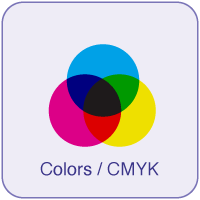 |
Colors All files must be set up in CMYK. Files in other color spaces, such as RGB and Pantone, will automatically be converted to CMYK via Fogra27, which may result in color changes. This is the customer’s responsibility. |
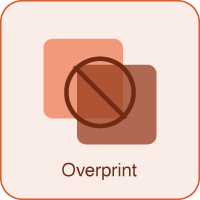 |
Overprint Print files must not contain elements with overprint. |
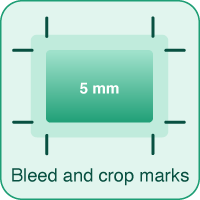 |
Bleed and Crop Marks All documents must be supplied with a minimum of 5 mm bleed and crop marks on all sides. Other marks, color bars, and page information must be left out. |
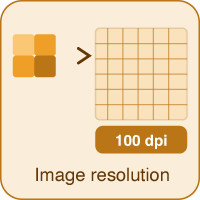 |
Image resolution We recommend that images have a resolution of at least 100 dpi at 1:1 scale. When working at a smaller scale, the resolution should be increased proportionally. For example: 400 dpi at 1:4 scale and 1,000 dpi at 1:10 scale. |
 |
Fonts Fonts must either be embedded in the PDF file or converted to outlines. |
 |
Logos and graphic elements Logos and graphic elements must be supplied as vector graphics in EPS, PDF, or AI format. Avoid bitmap formats such as JPG and PNG, as these often produce unclear results in larger formats. |
 |
InDesign templates On the product pages at udstillingssystemer.dk, you can download InDesign templates with the correct dimensions, guidelines, and safety zones. |
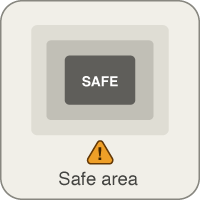 |
Safe area Depending on the material being printed on, our templates include a safe area where important graphics should remain inside. Some materials may stretch up to 5%, and content placed too close to the edge may risk being cut off or appear misaligned. |
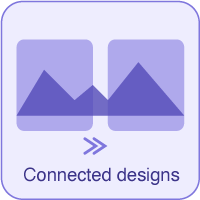 |
Connected designs If you combine multiple prints with connected or continuous designs, this must be stated when delivering the files so we can account for any trimming gaps and assess alignment. Perfect alignment cannot be guaranteed on all materials. |
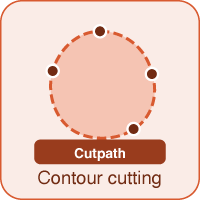 |
Contour cutting For contour cutting, the cut line must be defined as a spot color and named Cutpath. |
 |
Delivery of Print Files We prefer receiving files through file transfer services such as WeTransfer, OneDrive, Dropbox, etc., or via direct upload when ordering through the webshop. Files under 20 MB may also be sent by email. |
Do you need graphic assistance?
If you need help adjusting your file or would like graphic assistance, we are happy to help you on an hourly basis. Simply send your existing materials, logo, and fonts, and we will ensure your documents are print-ready. Graphic services are billed per started half hour.
Send your documents to us
InDesign Templates
Roll-up
Lightbox
Desks & podiums
Pop-up
Exhibition Walls
Outdoor
Banner systems
Fabric Cover
User guides, fire and environmental certificates
Fire certificates
Environmental certificates
User guides
Do you need help?
If you need help, feel free to contact us either via phone or chat.
We are ready to assist you.
